The Scene Partner In Your Pocket
Rehearse scenes, record reader lines, and film self-tapes — all from your iPhone. No scene partner required.
See How It Works
SideKick is a rehearsal app built for actors. Import your script, record or import your reader’s lines, and run the scene as many times as you need. When you’re ready, flip on the teleprompter and film your self-tape.
Rehearsal
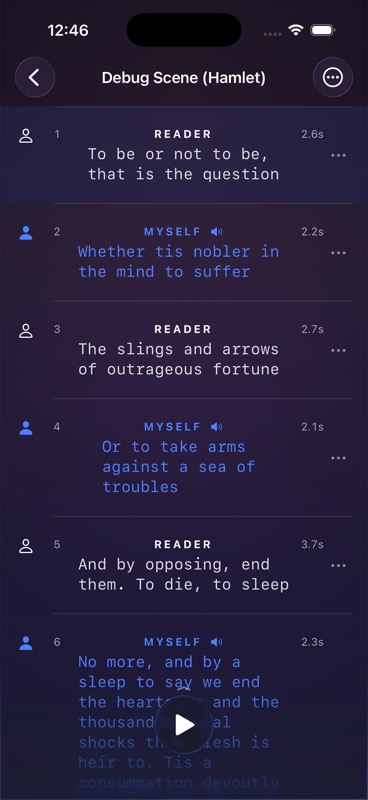
Run Your Scenes On Repeat
Record your reader’s lines or import audio, then rehearse the full scene. SideKick plays each reader line in order — you say your lines, and Smart Cue listens and automatically advances when it hears your cue.
Script Import
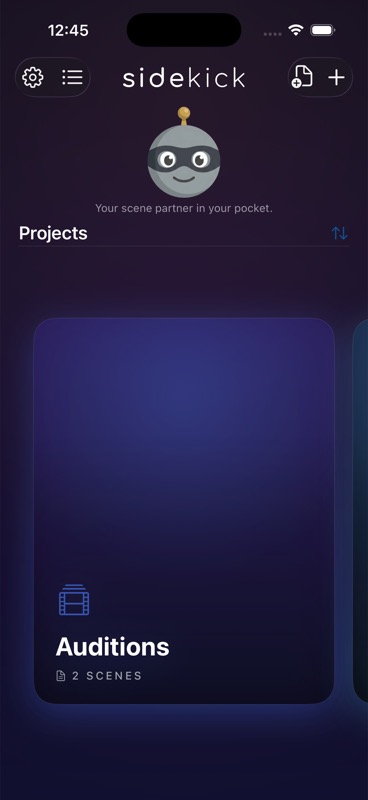
Drop In Your Script
Import a PDF of your sides and SideKick parses it into a ready-to-rehearse scene — character names, dialogue, and stage directions all separated automatically.
Self-Tape
Teleprompter & Camera
When you’re ready to film, turn on the full-screen teleprompter. Your lines scroll as you go. Hit record and nail your self-tape in one take.
Three Steps to a Better Self-Tape
Import Your Script
Drop in a PDF of your sides or create a scene manually. SideKick organizes your lines and your reader’s lines.
Rehearse With Smart Cue
Record reader audio, then run the scene. Smart Cue listens for your lines and advances automatically — like a real scene partner.
Film Your Self-Tape
Flip on the teleprompter, hit record, and capture your performance. No second person needed.